
Software and automation
Does my small business need a CRM?
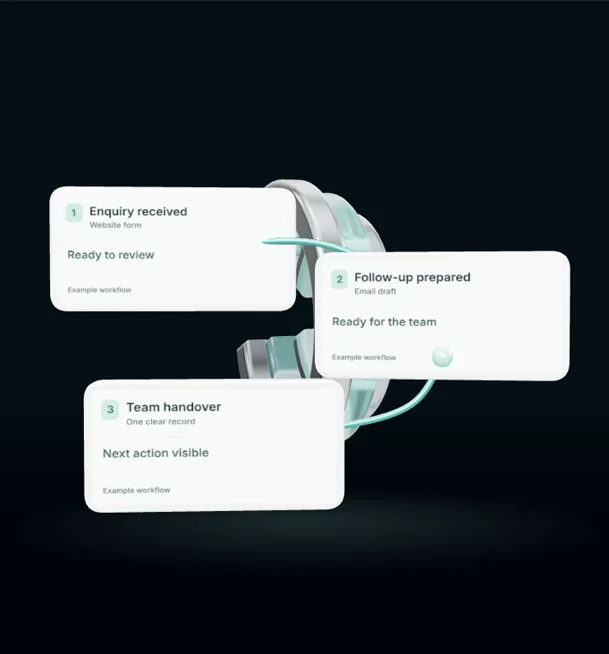
If you have ever asked yourself "does my small business need a CRM?", the honest answer is that it depends on how many enquiries you handle and how many of them slip through the cracks. A CRM, short for customer relationship management, is simply a place where every enquiry, customer and follow-up lives together. For some businesses a notebook works fine. For others, a missing callback costs a job every week without anyone noticing.
This guide will help you work out which camp you are in, and what a sensible first step looks like.
What a CRM actually does
Strip away the sales language and a CRM does three jobs.
It records every enquiry in one place, with the name, contact details, what they asked for and where they came from.
It reminds you what needs doing next. Call back on Thursday. Send the quote. Chase the deposit.
It shows you what is happening across the business. How many enquiries came in this month, how many turned into work, and which ones went quiet.
That is the core of it. Everything else, from email templates to automated reminders, sits on top of those three jobs.
Signs you have outgrown the notebook
Most small businesses start with a mix of a diary, a phone full of WhatsApp chats, an email inbox and a good memory. That can work well for a long time. These are the signs it has stopped working:
- You find enquiries you forgot to answer. A builder scrolling back through messages and spotting a request for a quote from three weeks ago is a common example.
- Quotes go out and nothing happens next. Nobody follows up, so the customer drifts off to someone who did.
- Only one person knows what is going on. If the owner is ill or on holiday, nobody else can see which jobs are waiting.
- You cannot say where your work comes from. You spend money on ads or leaflets but have no idea which ones produce paying customers.
- Repeat customers get forgotten. A garage that never reminds last year's customers about their MOT is leaving easy work on the table.
If two or more of these sound familiar, a simple CRM will probably pay for the time it takes to set up.
When you can wait
You do not need a CRM if you get a handful of enquiries a month, you answer them all the same day, and you already know every customer by name. A sole trader with a full diary booked months ahead through word of mouth may get very little from one.
In that case, a shared spreadsheet with a row per enquiry and a "next step" column is a perfectly good halfway house. It costs nothing and builds the habit of writing things down.
What to look for in your first CRM
The market is crowded, and many systems are built for sales teams of fifty people. For a small business, these features matter most:
- A phone app that works properly. If you are on site or in the kitchen all day, you will only use it if it works on your phone.
- Enquiries arriving automatically. Your website form, Facebook leads and Google enquiries should drop straight in, so nobody has to copy and paste.
- Simple stages. Something like New, Quoted, Booked, Done and Lost. If the setup asks you to design a twelve-step pipeline, it is probably too much.
- Reminders and follow-ups. The system should nudge you when a quote has gone unanswered for a few days.
- A sensible monthly price. Start on the smallest plan. You can always move up once you know what you use.
How to set one up without the headache
Start small. Pick one type of work, such as new enquiries from your website, and put only those into the CRM for the first month. Get used to updating it every day, even if that means two minutes at the end of the shift.
Once that habit sticks, connect your other sources one by one. Then add automated follow-ups. A short, friendly message two days after a quote, written in your own words, often brings back customers who simply forgot to reply.
Keep the data clean from day one. Use the same format for phone numbers, mark lost jobs as lost rather than leaving them open, and note the reason when you can. After a few months, those notes tell you why you lose work, which is often more useful than knowing why you win it.
Look after the data
A CRM holds personal information, so UK data protection rules apply. Only collect what you need, keep it secure, and make sure your privacy notice explains what you do with it. Most reputable CRM providers handle the technical side, but you still decide who in the business can see what.
The bottom line
A CRM will not find you more customers on its own. What it does is stop you losing the ones who already got in touch, and that is often the cheapest growth a small business can find.
If you would like a hand choosing a system, connecting your website and ad enquiries to it, or setting up follow-ups that run without you, our marketing automation service does exactly that. We are happy to talk it through and tell you honestly if a spreadsheet will do for now.