
Software and automation
What an AI chat assistant can actually do for a small business
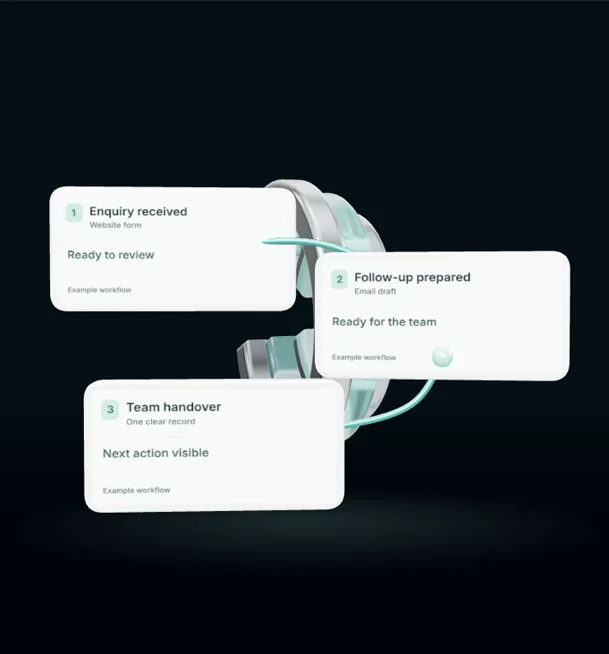
An AI chat assistant can do a lot for a small business, but probably not the things the adverts promise. It will not run your business or replace the person who answers the phone. What it can do well is answer the same handful of questions you get every day, at any hour, and collect the details you need before you call someone back. For a busy garage, salon or takeaway, that alone can save hours a week and stop enquiries going cold overnight.
This guide covers what an AI chat assistant is good at, where it goes wrong, and how to set one up so customers find it helpful.
What we mean by an AI chat assistant
An AI chat assistant is a small chat window on your website, or an automatic reply on Facebook, Instagram or WhatsApp, that can hold a natural conversation. Older chat bots worked from fixed menus. Press 1 for opening hours, press 2 for prices. The newer ones understand ordinary sentences and reply in plain language, using information you give them about your business.
Jobs it does well
Answering the repeat questions. Every business has them. A takeaway gets asked about delivery areas, allergens and closing time. A barber gets asked about walk-ins and prices. A builder gets asked whether they cover a certain town and how quotes work. An assistant that knows these answers can reply instantly at eleven at night, when you are not going to.
Collecting the details before you call. Instead of a vague message saying "need a quote", the assistant can ask a few follow-up questions. What is the job, where is it, roughly when, and what is the best number. A roofer who gets a message with the postcode, a description of the problem and two photos can decide straight away whether to call back today.
Booking and routing. If you use an online diary, the assistant can offer available slots and book them. If you have more than one person handling enquiries, it can pass bodywork questions to one person and servicing questions to another.
Out-of-hours cover. Many enquiries arrive in the evening and at weekends, when people finally have time to sort things out. An instant, useful reply keeps that person with you instead of moving on to the next business in the search results.
Jobs it should not do
Be clear about the limits. An AI assistant should not:
- Give firm prices for complex work. It can explain how pricing works or give a typical range you have approved, but a bathroom refit needs a proper look.
- Make promises on your behalf. Delivery times, guarantees and discounts should come from you.
- Pretend to be a person. It does not need to announce that it is automated in every message, and it should talk naturally. If someone asks directly whether they are talking to a person, it should answer honestly.
- Handle complaints alone. An unhappy customer wants a human. The assistant's job there is to take the details and pass them on quickly.
Make it sound like you
The fastest way to make customers dislike a chat assistant is to make it sound like a call centre script. Write its instructions in the same tone you would use yourself. A friendly local café should not reply like an insurance company.
Opening lines matter. "Hi, thanks for getting in touch. What can I help with?" works far better than a long paragraph explaining what the assistant can and cannot do. Keep replies short. People are usually typing on a phone.
Always give a clear route to a person. A simple line such as "No problem, I've passed that on and someone will get back to you soon" stops people feeling stuck.
Getting the information right
An assistant is only as good as what it knows. Before you switch one on, write down:
- Your services and the areas you cover.
- Opening hours, including bank holidays.
- How pricing works, with any ranges you are happy to share.
- The questions customers ask most often, with your answers.
- What you want collected from every enquiry.
- When the assistant should hand over to a person.
Keep this document up to date. If your hours change for Christmas and the assistant still gives the old ones, customers will blame you, not the software.
Check the conversations
For the first few weeks, read the conversations every day. You will spot questions you did not expect, answers that were slightly off and places where people gave up. Small fixes to the instructions make a big difference.
Look at where the enquiries go, too. An assistant that collects good details is wasted if they land in an inbox nobody checks. Connect it to wherever you already manage work, whether that is a CRM, a shared email or a group chat.
A sensible first step
Start with one channel, usually your website or the platform where most messages already arrive. Cover the top ten questions and the details you need for a callback. Once that is working well, add booking or a second channel.
If you would like help setting up a chat assistant that sounds like your business and passes enquiries to the right place, our marketing automation service does this for small businesses. We can start with a short look at the questions you get most often and suggest whether an assistant is worth it for you.